Japavista Lisora Accommodation Guide | Access & Check-in Instructions
Important
※To unlock the facility, you will need the ID and password included in the email sent at 19:00 one day before check-in.
Access
Nearest Station
● Yui Rail Makishi Station — 10-minute walk
● From Naha Airport — about 15 minutes by taxi, approx. JPY 2,800
Estimated Travel Time
■ To Yui Rail Makishi Station ※Multiple routes may appear in map apps, but we recommend the following route as it has the shortest walking distance.
| From Naha Airport |
Okinawa Urban Monorail Line Naha Airport Station ~ Makishi Station
Approx. 17 minutes |
|---|---|
■ From Naha Airport
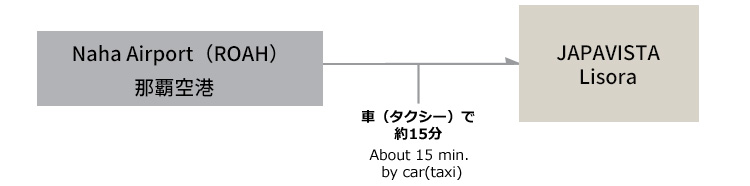
We recommend taking a taxi from the airport.
Taxi stand No.7 on the 1st floor of Naha Airport serves taxis bound for Naha city (approx. JPY 2,800).
※If you have a lot of luggage or the taxi stand is crowded, we recommend the jumbo taxis at stand No.6.
The fare is about JPY 300 higher, but they seat 8–10 people and usually have little to no queue.
Location & Google Maps
Address: 〒900-0014
2-22-21 Matsuo, Naha City, Okinawa Prefecture — ブランシエラ那覇開南プレミスト
👉 Open in Google Maps
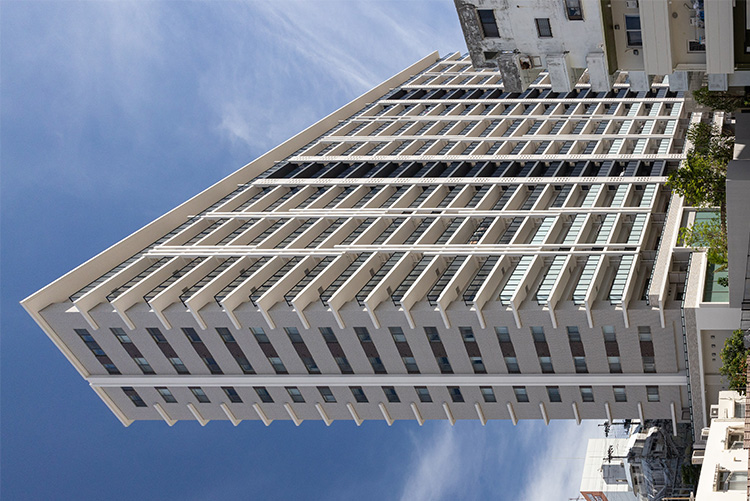
If, upon arrival, the building looks different from the exterior photos below, the pin on Google Maps may be slightly off.
In that case, please check the map using the provided coordinates.
📍Coordinates:
26.212282470416213, 127.68851251357675
Entrance
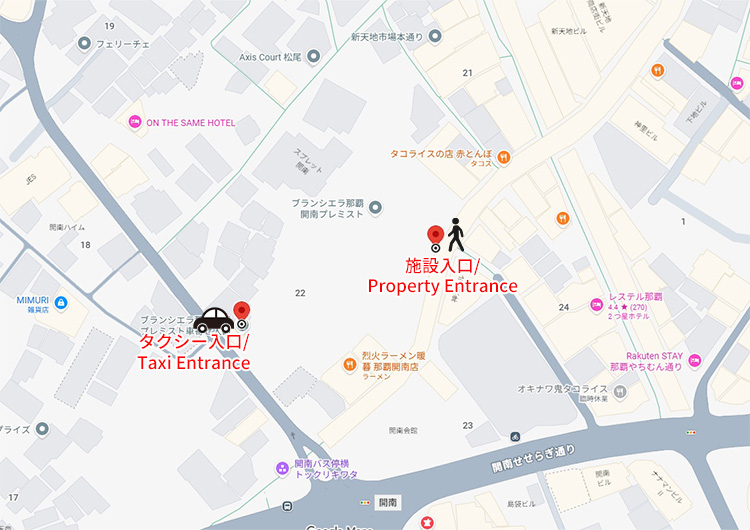
If arriving by car (taxi), please enter from the west entrance.
📍Coordinates:26.21201776825722, 127.68783525583426
Parking
There is no free parking. Please use nearby paid coin-operated parking lots.
Route from Makishi Station
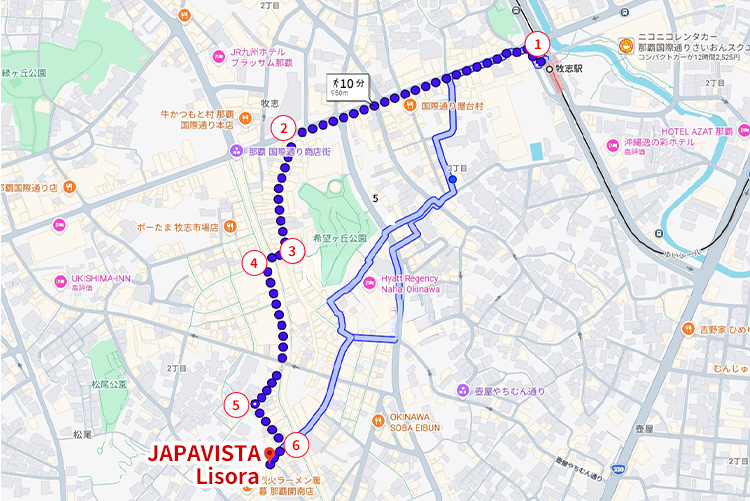
Click to open detailed route images
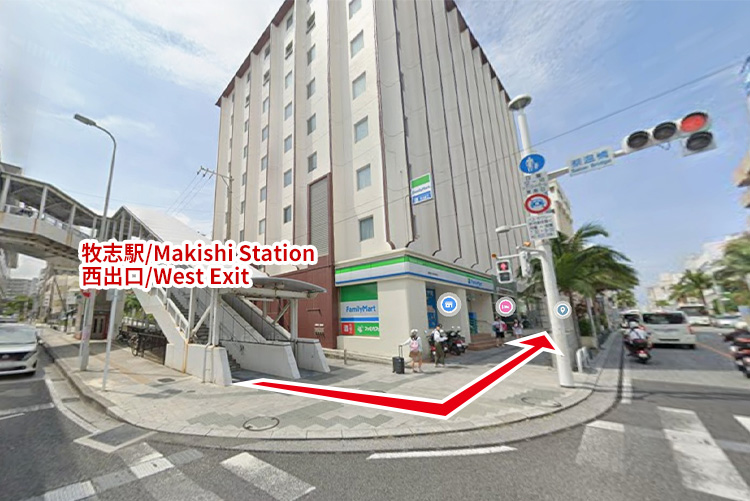
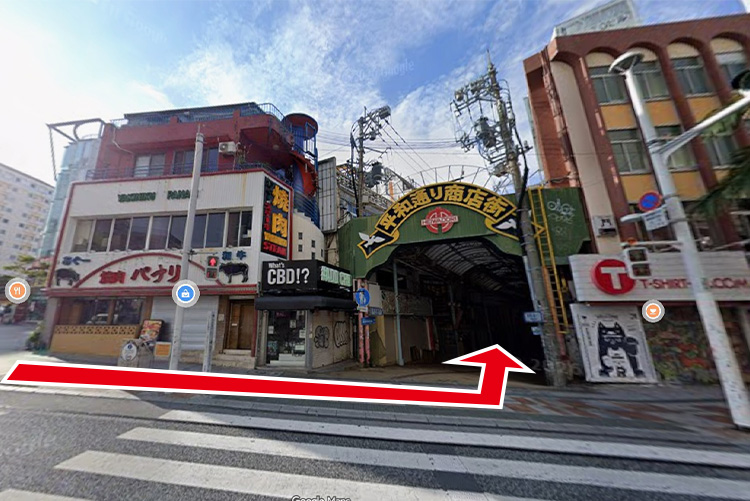
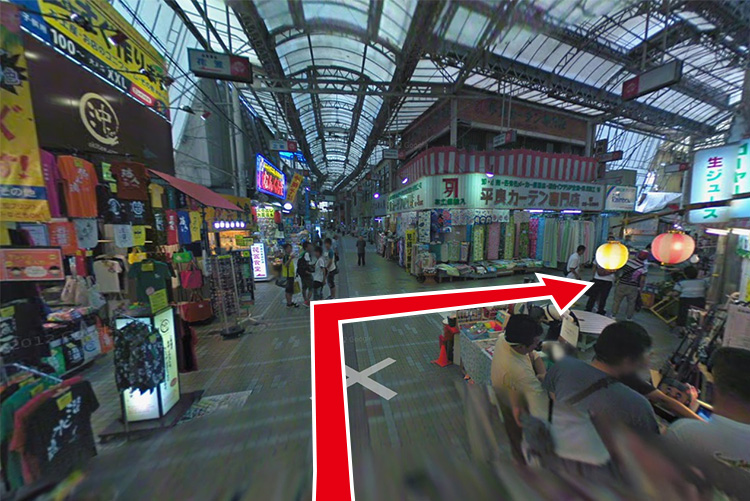
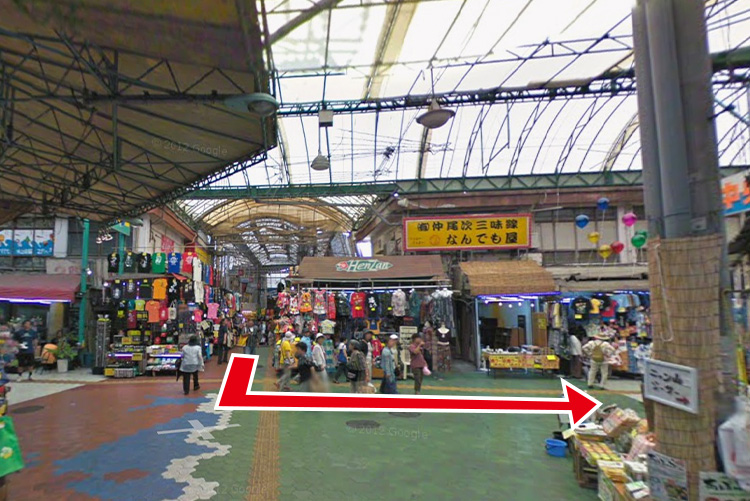
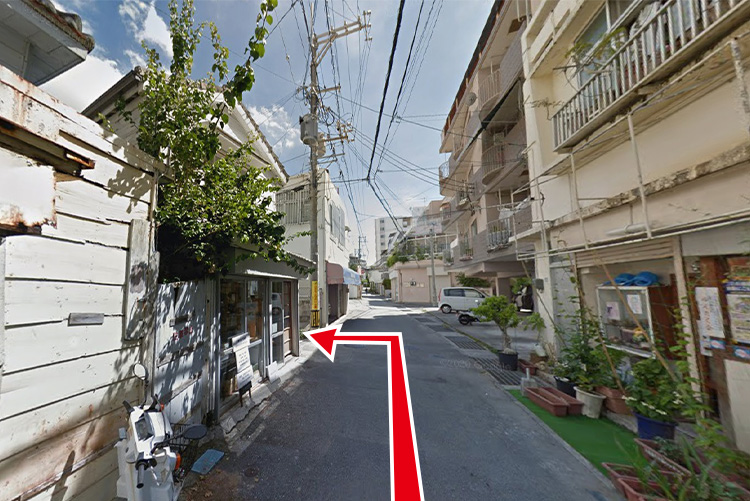
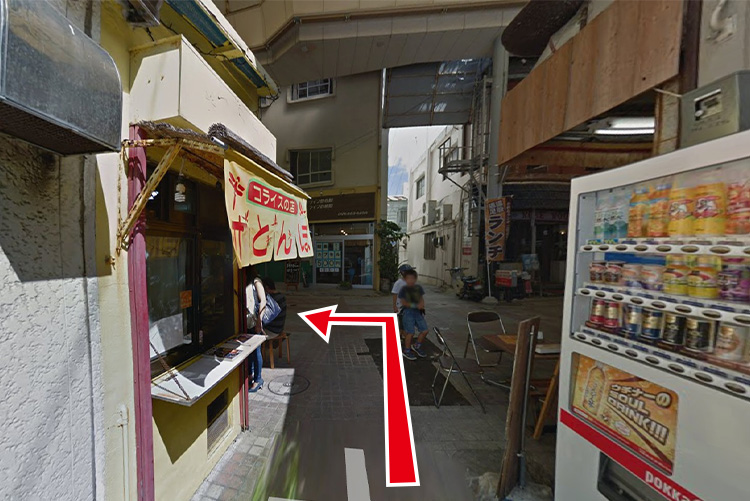
Exterior
How to Unlock the Door
Please download the smartphone app " Tebra Connect".
You cannot enter without the app.
After downloading, please log in with the ID and password sent the day before check-in.

Click to open the app banners


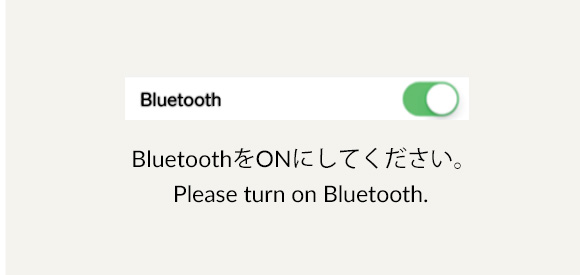
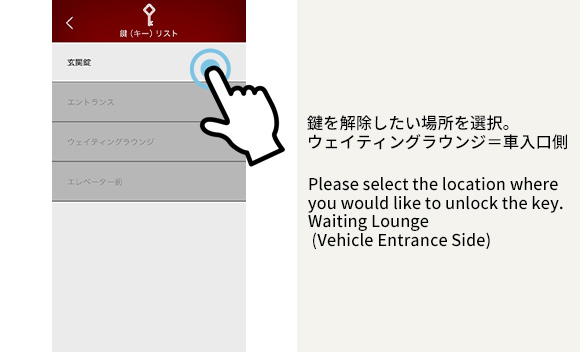
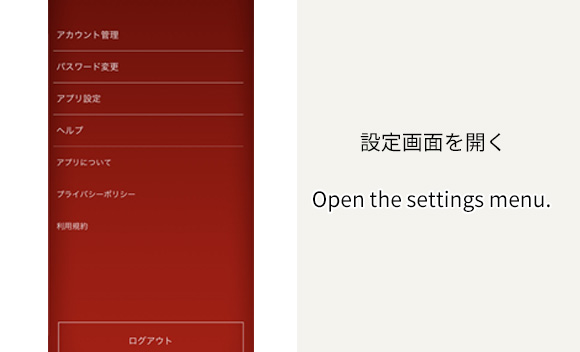
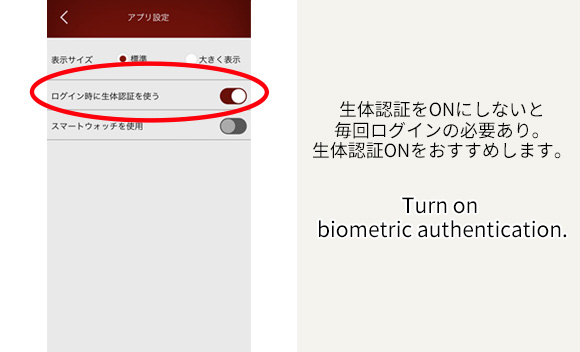
In the app, select the location you want to unlock.
(The entrance auto-lock, elevator, and guestroom locks are all operated via the app.)
※If you do not enable biometric authentication, you will need to enter your login and password each time; we recommend enabling biometric authentication.
※After checkout the password will be changed and you will no longer be able to enter. If you have a multiple-night reservation under a different account, please contact us in advance.
Important
※To unlock the facility, you will need the ID and password included in the email sent at 19:00 one day before check-in.
▶ Official reservations offer the best deals! ◀
Japavista Lisora's official reservation site is here
Contact