JAPAVISTA R4 Accommodation Guide | Access & Check-in Information
Important
※To unlock the facility, you will need to enter the passcode listed in the
email sent at 19:00 one day before check-in.
The passcode is provided in that email.
Access
Nearest station
3-minute walk from Roppongi Station, Exit 6
Route map
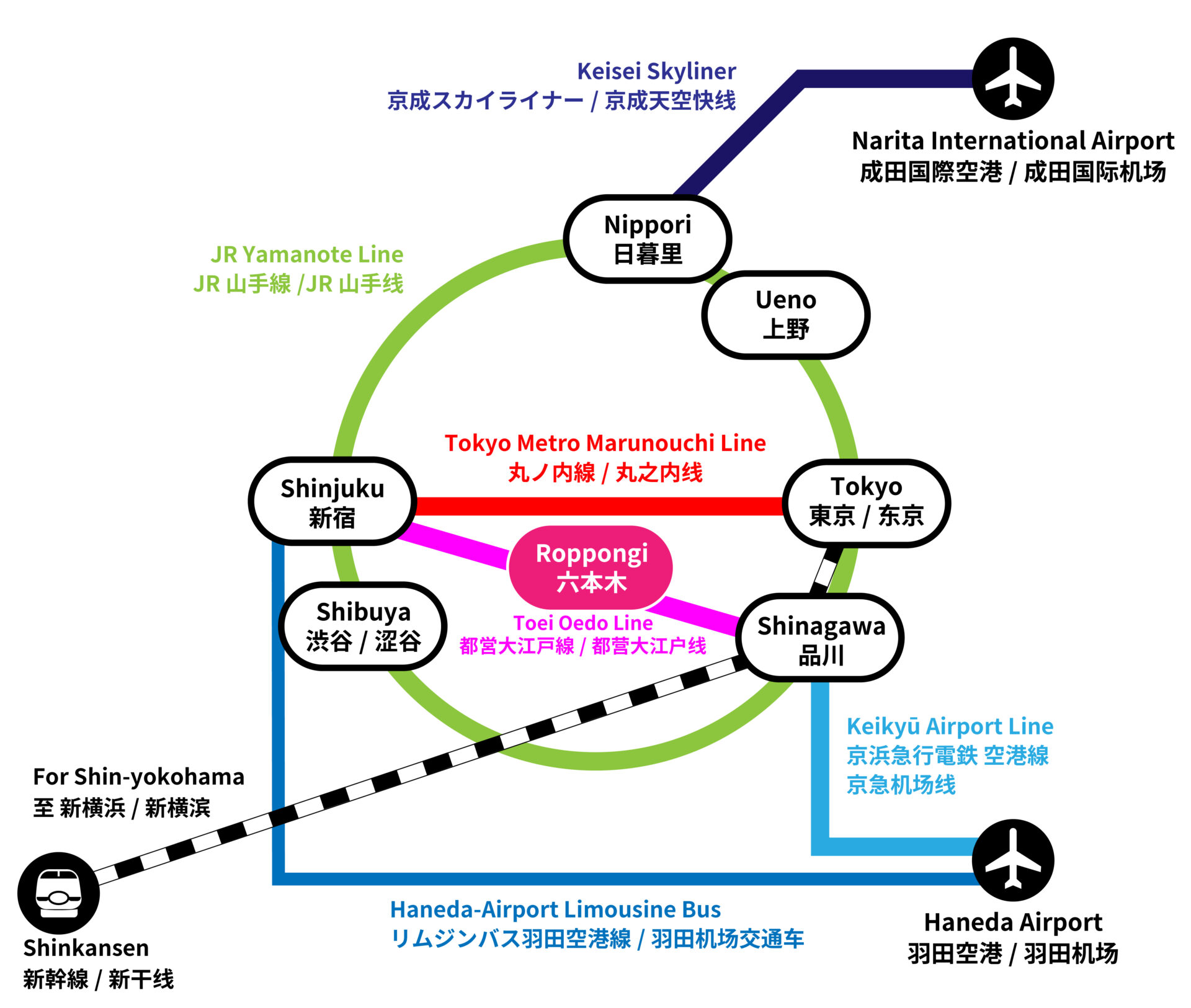
Estimated travel times
※Multiple routes may appear in map apps, but we recommend the following route as it has the shortest walking distance.
| From Haneda Airport |
Haneda Airport Terminal 3 Station ~ Daimon Station Oedo Line Daimon Station ~ Roppongi Station About 40 minutes, 1 transfer |
|---|---|
| From Narita International Airport |
Airport Terminal 2 Station ~ Keisei Ueno Station Hibiya Line Ueno Station ~ Roppongi Station About 1 hour, 1 transfer |
| From Tokyo Station |
Marunouchi Line Tokyo Station ~ Kasumigaseki Station Hibiya Line Kasumigaseki Station ~ Roppongi Station About 10 minutes, 1 transfer |
| From Shinjuku |
Bus from in front of Shibuya Station ~ Roppongi 4-chome
About 18 minutes Hanzomon Line Shibuya Station ~ Aoyama-itchome Station Oedo Line Aoyama-itchome Station ~ Roppongi Station About 15 minutes, 1 transfer |
Location · Google Maps
Address:〒106-0032
4-1-25 Roppongi, Minato-ku, Tokyo
👉 Open in Google Maps
If the building you see on arrival differs from the photos below, there may be a discrepancy in the Google Maps marker.
In that case, please check the location on the map using the coordinates provided.
📍Coordinates:
35.664904116525335, 139.73464654373655
Parking
There are no free parking spaces. Please use nearby paid coin parking.
Directions from Roppongi Station
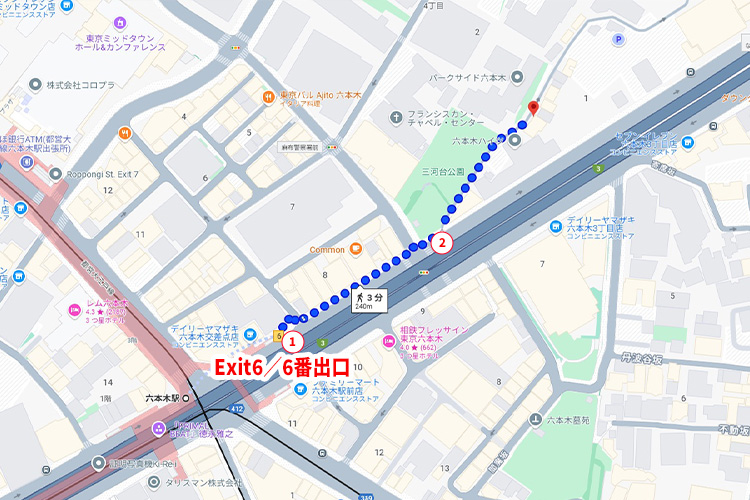
Click to open detailed route images
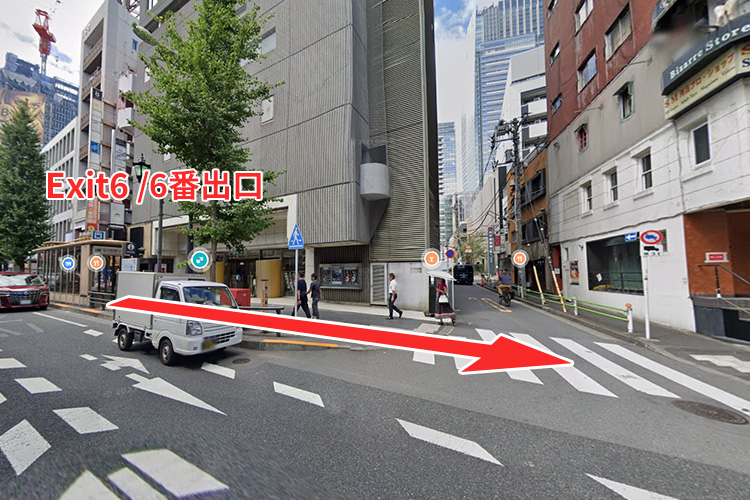
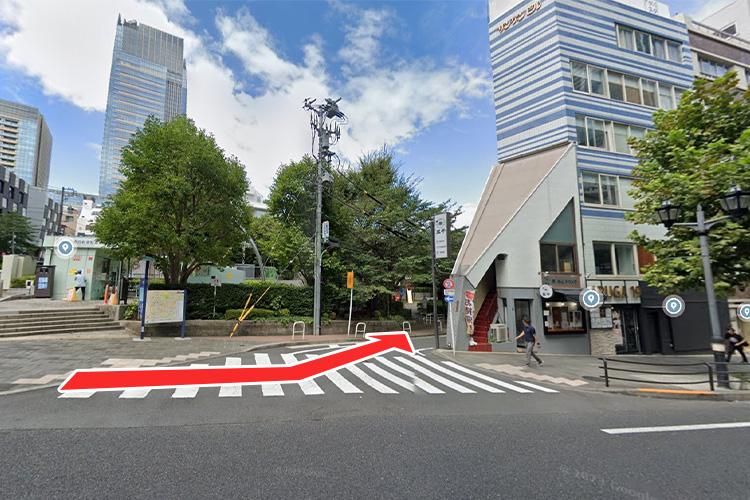
Exterior

1F: How to unlock
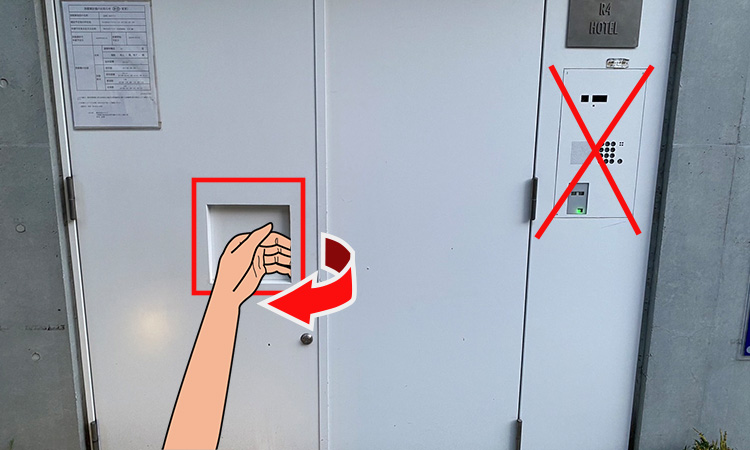
No passcode entry is required. Please enter directly.
How to unlock each room

Please complete check-in using the check-in tablet. (When facing the doors, the tablet for B1F is on the right, and those for 2F and 3F are on the left.)
※The check-in code is provided in the email.
※The room passcode will be displayed at the end, so please be sure to save it by note or photo.
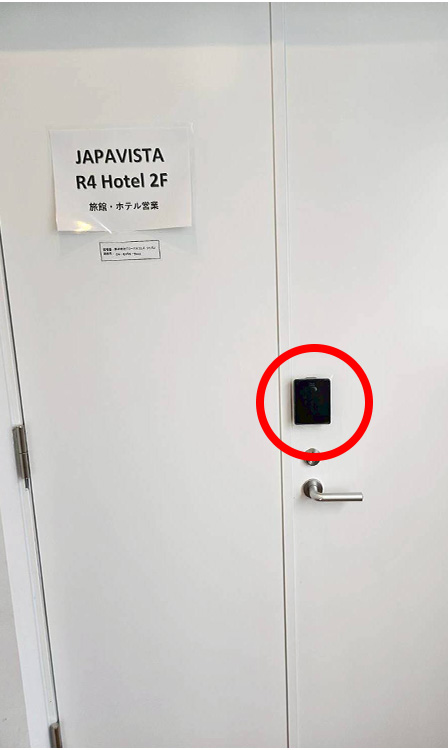
Enter the passcode into the electronic key installed on the room door.
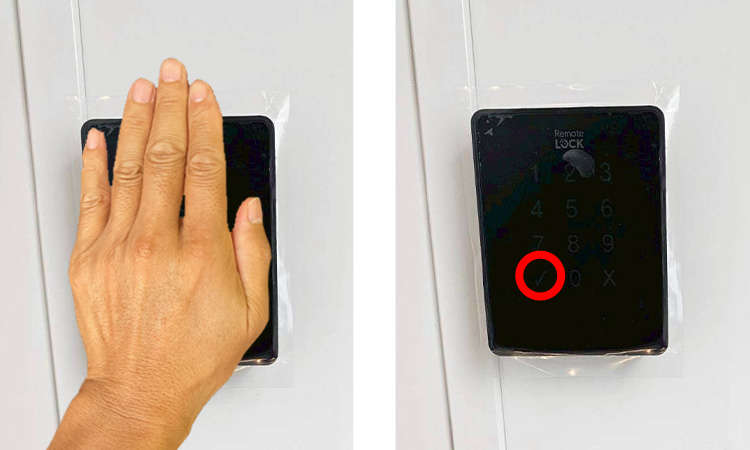
Touch the screen to display the numbers. Enter the passcode and then press "✓". ※The door is auto-locking.
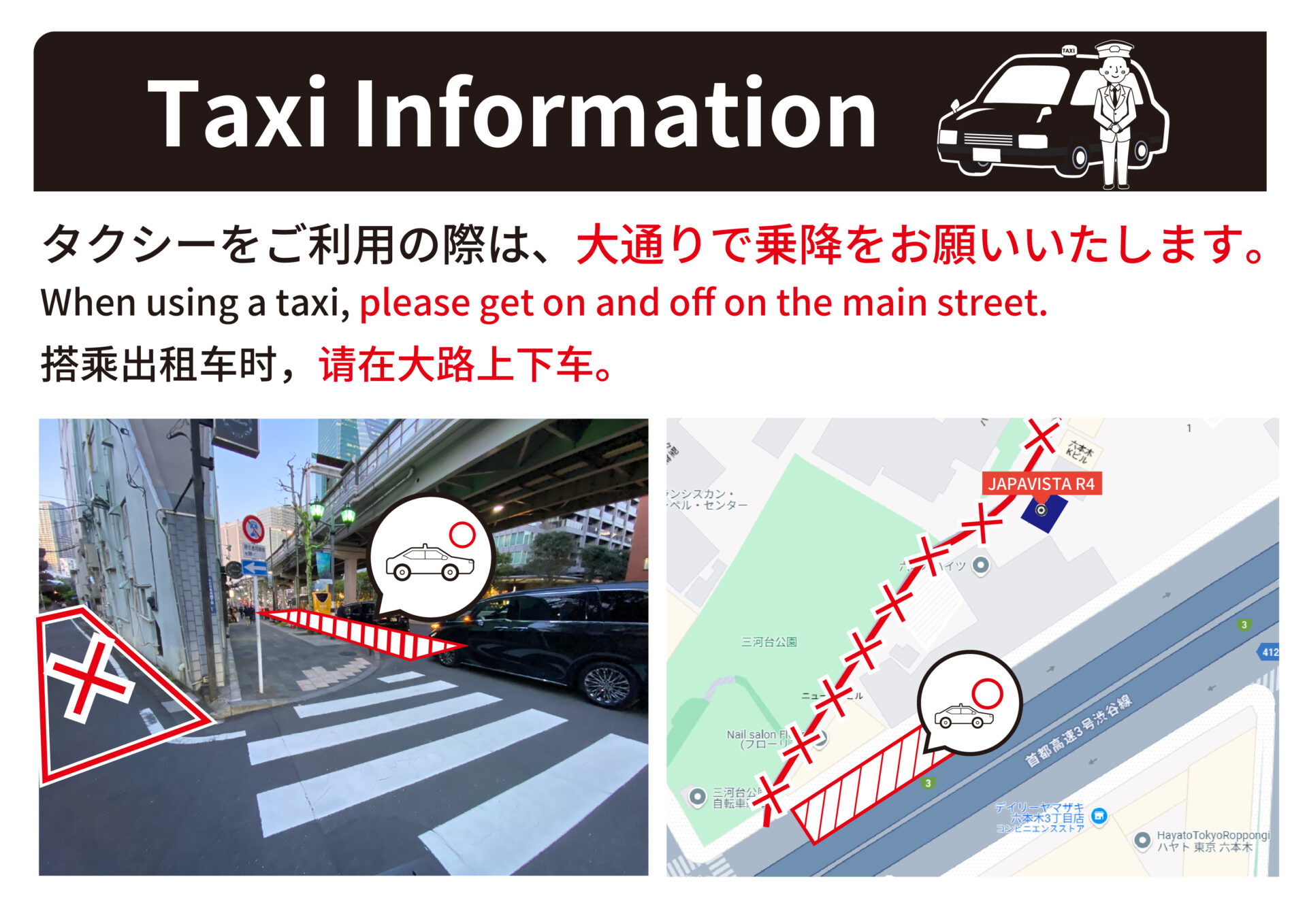
For guests using taxis
▶ Booking on the official site is the best deal! ◀
To book on the official website of JAPAVISTA R4, please click here
Contact